





Любая форма оплата
Всегда все недорого
Оперативно и в срок
Быстро и качественно








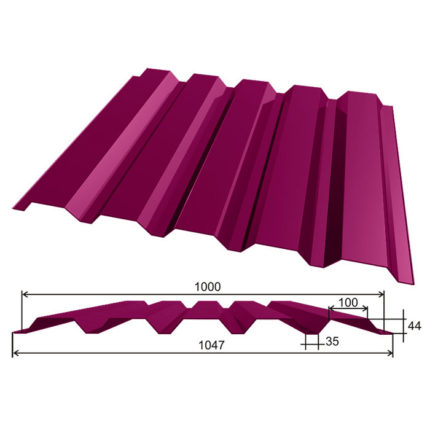
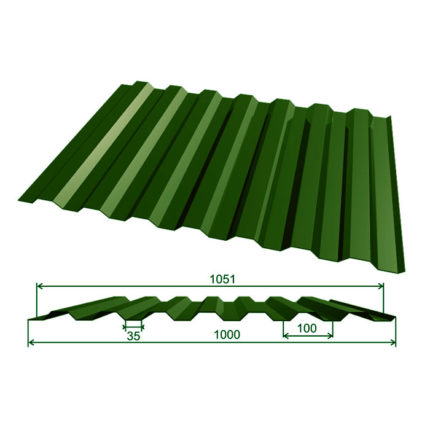
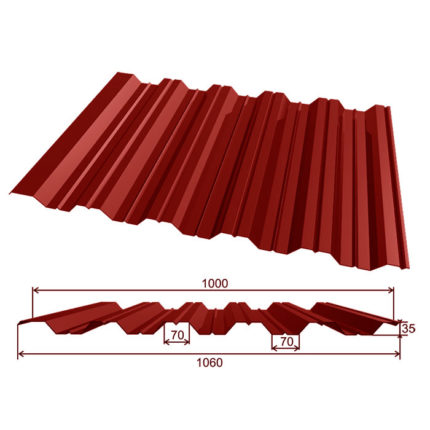
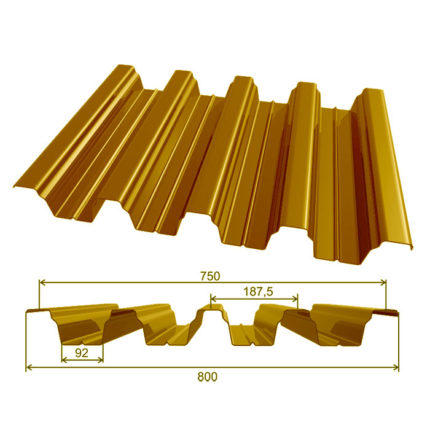
Профнастил самый востребованный вид ограждений - цена + качество

Металлический штакетник - интересное и практичное ограждение

+7 (495) 780-23-95
krovsite@yandex.ru
A Zcash holder downloads a hardware wallet application on their computer, connects a Ledger or Trezor device, and observes a total balance of 12.5 ZEC across shielded and transparent addresses. They then install Zodl, the rebranded successor to the retired Zashi mobile application, import the same seed phrase, and see a different figure: 11.8 ZEC. The discrepancy is not a display error or a synchronization lag. It reflects real differences in how hardware wallets and desktop applications scan the Zcash blockchain, index transaction history, and calculate spendable funds across the Orchard unified address pool introduced after the Ironwood network upgrade on 28 July 2026.
Understanding these differences is essential for anyone managing meaningful ZEC balances. A hardware wallet may be scanning at a different height than a desktop application, using a different interpretation of which transactions belong to your Orchard pool, or reporting pending unconfirmed transactions differently. More importantly, neither application may be showing you the complete picture unless you know how to verify the underlying blockchain data yourself. This guide explains why these discrepancies occur, how to audit them, and which source is most likely to be authoritative in each case.
When you perform a zec wallet download, you are choosing not only an interface but a specific implementation of Zcash’s address scanning logic. Ledger’s Zcash application uses one set of node queries, Trezor uses another, and Zodl uses a third. These implementations all follow the same Zcash protocol rules, but they differ in which remote nodes they contact, how frequently they rescan completed blocks, and whether they cache transaction data locally.
The Ironwood upgrade introduced unified addresses (u1 format) that can hold funds in multiple pools: transparent, Sapling, and the newer Orchard pool. Orchard is significant because it uses improved zero-knowledge proofs that make transactions faster to verify and more resistant to certain analysis attacks than the older Sapling pool. However, not all wallet implementations scan Orchard at the same pace or with the same confidence level. A hardware wallet connected to a remote node might report only transactions that have reached 10 confirmations, while a desktop application might include transactions at 3 confirmations or even the mempool.
Ledger’s approach prioritizes caution. When you connect a Ledger device via USB and open its Zcash application, the hardware wallet queries a limited set of Ledger-operated nodes. These nodes report only transactions embedded in finalized blocks, typically requiring more confirmations before a balance update is displayed. Trezor operates similarly but may use a slightly different node set and polling interval. Zodl, by contrast, is a desktop-first application that can maintain a local copy of the blockchain or connect to user-specified nodes, giving it more flexibility in how current a balance appears.
The architectural difference explains why a hardware wallet might show 12.5 ZEC (only confirmed transactions) while Zodl shows 11.8 ZEC (including pending or recently confirmed transactions that the hardware wallet has not yet indexed). Neither is wrong if the underlying data is accurate. The hardware wallet is being conservative; the desktop application is being current. The problem arises when a user assumes that both devices have scanned the same transactions at the same block height.
Before Ironwood, Zcash had two active shielded pools: Sapling and the deprecated Sprout. Scanning Sapling required downloading a relatively small set of cryptographic notes and checking whether any belonged to your keys. Orchard uses a different proof system—the Halo 2 zero-knowledge framework—and stores its commitment trees separately. A wallet application must scan both the old Sapling pool and the new Orchard pool, which means more data to request and more local computation to verify ownership.
Hardware wallets like Ledger and Trezor delegate most of this work to remote nodes operated by the wallet provider. The node scans the Orchard pool on the device’s behalf and returns only the transactions that match the user’s keys. This design keeps the hardware wallet’s firmware small and the verification fast, but it trusts the node to tell the truth about which transactions are yours. If the node is out of sync or misconfigured, it might skip transactions. If the remote node operator is facing high load, it might rate-limit requests or delay updates.
Desktop applications like Zodl can implement more sophisticated fallback strategies. If one node is slow, they can query a second. If the Orchard commitment tree appears inconsistent, they can request a rebuild. They can also cache the raw blockchain data locally, reducing dependency on remote nodes for every balance check. This flexibility makes desktop applications more reliable for detecting all transactions quickly, but it also means they use more disk space and may take longer to sync initially.
The Orchard pool vulnerability discovered and patched after the Ironwood launch is another reason for discrepancies. Some wallet implementations may have updated their Orchard scanning logic faster than others. A hardware wallet that has not yet downloaded the latest firmware might still use an older scanning method that double-counts certain transactions or misses others entirely. Zodl, as a software application, can push an update without requiring the user to manually approve a firmware installation, making it faster to patch.
A unified address (u1) associated with your wallet can hold transparent ZEC, Sapling shielded ZEC, and Orchard shielded ZEC simultaneously. Your total balance is the sum of these three pools. However, each pool follows a different synchronization path. A transaction sent to your unified address may land in one pool before the others are fully scanned, causing the reported balance to fluctuate as the wallet catches up.
The transparent pool is the simplest and fastest to scan. A hardware wallet can confirm transparent balance by asking a node to look up all transactions to your transparent address in the public blockchain. The answer is definitive and arrives in milliseconds. Most hardware wallets display transparent balance first and update it most frequently.
The Sapling pool requires the wallet to download a portion of the Sapling commitment tree, then run a local scan to check which notes belong to your keys. This process is more involved, but Sapling has been in use since 2018, so both hardware and desktop wallets have highly optimized implementations. Sapling balance typically updates within seconds of a new block confirmation.
The Orchard pool is the newest and the most complex. It uses the same type of zero-knowledge proof as Sapling but with improved efficiency, which means the cryptographic verification is faster but the indexing code is newer and less battle-tested. A hardware wallet scanning Orchard may take longer to return results, especially if the remote node is busy or the hardware wallet firmware has not been updated recently. A desktop application with local caching can often report Orchard balance faster once the initial sync is complete, but the first sync of Orchard history can take minutes.
Here is the practical result: you check your Ledger, which shows 5 ZEC transparent + 4.5 ZEC Sapling + 3 ZEC Orchard = 12.5 ZEC total. You then check Zodl and see 5 ZEC transparent + 4.5 ZEC Sapling + 2.3 ZEC Orchard = 11.8 ZEC total. The discrepancy is in Orchard. Neither number is necessarily wrong at that moment. Ledger may be reporting Orchard transactions that are still pending confirmation and have not yet moved into the finalized state that Zodl requires before inclusion. Or Zodl may be mid-scan and not yet have processed all of your Orchard history.
The authoritative source of truth for your Zcash balance is the public blockchain itself. You cannot see which specific transactions belong to you without your viewing keys, but you can verify that your hardware wallet and desktop application have both scanned to the same block height and have not contradicted each other about transaction confirmation counts.
Start by noting the current block height shown by both devices. Open a Zcash block explorer—services like Blockchair, ZecBlockExplorer, or a local instance of zcash-cli provide this information. Compare the block height displayed in Ledger, Trezor, and Zodl to the current network height. If any wallet is behind by more than 10 blocks, it has not yet synchronized recent transactions and its balance is stale. This is the first explanation for discrepancies and also the easiest to fix: wait for the wallet to finish syncing.
If all wallets show the same block height but report different balances, the problem is in how they are counting transactions. The second step is to check whether the discrepancy is only in Orchard. You can do this by comparing the transparent and Sapling balances across all three devices. If transparent and Sapling are identical, the discrepancy is isolated to Orchard, which narrows the cause to Orchard scanning logic or pending transaction handling.
To dig deeper, export your viewing key from each wallet application and use it to scan the blockchain independently. The Zcash command-line wallet (zcash-cli) can import a viewing key and scan all blocks from a specified height. Running this scan gives you a third, independent balance report that is not subject to the caching or node query decisions of Ledger, Trezor, or Zodl. If zcash-cli reports a balance that matches Zodl, then Zodl is correctly scanning and the hardware wallet is out of sync. If zcash-cli matches Ledger, then Ledger is correct and Zodl is miscounting. If zcash-cli shows a third number entirely, then all three implementations have a bug or are interpreting an ambiguous transaction differently.
A practical example: suppose Zodl shows an Orchard balance of 2.3 ZEC at block height 2,647,500, but Ledger shows 3.0 ZEC at the same height. You extract the Orchard viewing key from Zodl (usually exported as part of the full extended spending key or as a separate read-only key), import it into zcash-cli, and scan from block 2,647,490 to 2,647,500. If zcash-cli finds 3.0 ZEC, Ledger is correct and Zodl has a scanning bug. If zcash-cli finds 2.3 ZEC, Zodl is correct and Ledger is misreporting. If zcash-cli finds 2.65 ZEC, both are slightly wrong and the authoritative number is 2.65 ZEC (the amount actually in the Orchard pool as of that block height).
The Ironwood upgrade on 28 July 2026 introduced new transaction serialization rules and the Orchard pool to mainnet. Wallets had to be updated to handle this correctly. A hardware wallet that has not received a firmware update since August 2026 may still use an older Orchard implementation that either misses transactions or counts them twice. Checking the firmware version on your Ledger or Trezor is therefore the first troubleshooting step whenever you notice balance inconsistencies after the Ironwood launch.
Node outages or degraded service from the remote node provider can also cause synchronization delays. Ledger and Trezor each maintain their own infrastructure for blockchain queries. If Ledger’s nodes are experiencing high latency or temporary downtime, the Ledger application will report a stale balance even if the hardware wallet firmware is current. Restarting the wallet application and checking again after a few minutes usually resolves these issues. If the discrepancy persists across multiple restarts and the block height is current, the issue is likely in wallet logic rather than network connectivity.
The Orchard pool vulnerability patched after Ironwood revealed a subtle issue in how certain transaction types could be constructed. The patch affected scanning logic in some implementations. If you have a hardware wallet with pre-patch firmware and a desktop application with post-patch software, they may disagree about which Orchard transactions are valid or spendable. Updating the hardware wallet firmware resolves this.
Recent changes to ZIP-317 fee structure may also affect balance reporting if a wallet is accounting for pending transaction fees differently. A hardware wallet might reserve a certain fee amount for an unsigned transaction and deduct it from the displayed spendable balance, while a desktop application might not reserve fees until the transaction is actually broadcast. Neither approach is wrong, but the reported «available to spend» balance will differ.
The most reliable way to prevent balance discrepancies is to ensure that both your hardware wallet and desktop application are querying the same blockchain data from the same starting point. This is not always possible—a hardware wallet is inherently limited to a remote node, while a desktop application can often maintain a local copy—but you can move closer to alignment.
If you operate a local Zcash full node (via zcashd or a third-party implementation), configure both Ledger and Zodl to use that node. A Ledger device cannot directly connect to a local node over USB, but Ledger Live (the official Ledger management software) can be configured to use a custom node endpoint if you have a way to expose your local node over an HTTP interface. Zodl can be pointed directly to your local node through its settings. Once both are reading from the same blockchain source, discrepancies become purely a matter of scanning logic, which is easier to diagnose.
For users without a local node, the next best approach is to configure Zodl to use a public node endpoint you trust and then monitor whether Ledger reports the same balances. Because Ledger does not expose node configuration options, you are relying on Ledger’s node selection. However, by keeping Zodl consistent, you can detect when Ledger falls out of sync: if Zodl and Ledger report different balances and both are at the same block height, you know Ledger’s node or scanning implementation is the cause.
Set a regular sync schedule rather than checking balances continuously. Wallet applications can get into race conditions if you rapidly connect and disconnect devices or switch between applications while a scan is in progress. Establish a routine: check Ledger in the morning, then check Zodl, and allow at least 5 minutes between checks. Document the block height and balance for each. Over time, this creates a log that reveals whether discrepancies are random (suggesting node transience) or consistent (suggesting a systematic bug).
If you are subject to tax reporting or regulatory oversight, the balance shown in your wallet has legal significance. Tax authorities in most jurisdictions require you to report holdings at specific dates, usually year-end. If you report a balance based on Ledger and the tax authority later obtains blockchain records showing a different balance, you could face audit or adjustment. The blockchain is the ultimate authority; your wallet is an interpretation of it.
In the European Union, regulations effective July 2027 introduce enhanced due diligence requirements for service providers handling privacy-enhanced cryptocurrencies like Zcash. These rules require more rigorous tracking of holdings and transaction sources. If you use a wallet application that has not been tested against these standards, you may inadvertently create compliance gaps. The EBA’s Anti-Money Laundering Regulation (AMLR) Article 79 specifically addresses privacy coins, and any wallet claiming to meet EU standards should be able to produce an audit trail showing exactly which transactions and holdings were reported in a given timeframe.
This is not to say that private, shielded transactions are illegal or even discouraged in most jurisdictions. Rather, if you choose to use shielded Orchard transactions (which provide privacy from the public blockchain), you are responsible for maintaining your own records of the underlying transactions, counterparties, and amounts. A discrepancy between Ledger and Zodl becomes a liability if neither wallet can definitively prove what the balance was on a tax-relevant date. The solution is to maintain independent records: export transaction histories, save blockchain snapshots at key dates, and preserve your viewing keys in a secure location so you can regenerate historical balances if needed.
U.S. Financial Crimes Enforcement Network guidance treats privacy-enhanced cryptocurrencies as subject to the same reporting obligations as transparent cryptocurrencies, with extra attention to transaction sources and beneficiary verification. If you are US-based, the IRS position is that shielded transactions are reportable and taxable just like transparent ones. A wallet balance discrepancy could trigger questions about whether you have properly reported all holdings. The safest approach is to ensure that your reported balance matches what the blockchain itself contains, verified through independent scanning if needed.
Trust Ledger’s balance report when: (1) you need the most conservative reading for tax or regulatory purposes; (2) you have just connected the device and it shows a current block height; (3) the discrepancy is only in transparent addresses (where Ledger is nearly certain to be correct).
Trust Trezor’s balance report when: (1) you have just updated its firmware and completed a full rescan; (2) the reported balance has been stable for 24 hours with no new transactions received; (3) you are checking transparent balance exclusively.
Trust Zodl’s balance report when: (1) it has been running continuously and the block height matches the current network height; (2) you have confirmed the balance by exporting your viewing key and rescanning in zcash-cli; (3) you are tracking recent Orchard transactions (where Zodl’s faster scanning is an advantage).
Trust none of them entirely until you have independently verified the balance using a local node or zcash-cli with your viewing key. This is the gold standard and the only way to definitively audit discrepancies.
For significant holdings, the process should be: (1) note the balance in Ledger and record the block height; (2) note the balance in Zodl at the same block height; (3) wait one hour; (4) repeat steps 1-2; (5) if the numbers have not converged, extract your viewing key and scan locally; (6) the result of the local scan is the authoritative balance; (7) if the local scan shows either Ledger or Zodl is wrong, update the affected wallet or contact the developers.
Hardware wallets like Ledger scan the blockchain through remote nodes and may lag behind desktop applications like Zodl, which can cache data locally. The most common cause is that one wallet has not yet synchronised to the current block height or has not finished scanning the Orchard pool. Check that both wallets show the same block height before comparing balances. If the block heights match but balances differ, isolate which address pool (transparent, Sapling, or Orchard) contains the discrepancy by comparing each separately.
The blockchain is the authority. Export your Orchard viewing key from one wallet and import it into zcash-cli (the official command-line Zcash wallet), then scan the blockchain from your wallet’s birth height to the current block. The balance reported by zcash-cli is the definitive amount in the Orchard pool at that moment. If that matches Zodl, Zodl is correct. If it matches Ledger, Ledger is correct. If it matches neither, all three have bugs or are interpreting ambiguous transactions differently.
Yes. Ironwood introduced Orchard to mainnet on 28 July 2026 and required firmware updates to all hardware wallets. Wallets with pre-Ironwood firmware cannot scan Orchard transactions correctly and will show incomplete or zero Orchard balance. Update your Ledger, Trezor, or other hardware wallet firmware immediately if you have received Orchard transactions. You can then initiate a full rescan of the blockchain to detect all prior Orchard activity.
Not until you know why. If you plan to spend funds, always verify the balance independently first using zcash-cli or a local node. A discrepancy may indicate that one wallet has not finished syncing, but it could also mean one implementation has a bug. Sending from a wallet that is not showing the current balance could result in unexpected changes to your remaining funds after the wallet catches up. Verify first, spend second.
У вас еще нет аккаунта?
Создать аккаунт