



Любая форма оплата
Всегда все недорого
Оперативно и в срок
Быстро и качественно







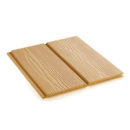
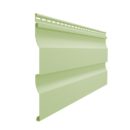
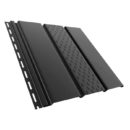
Профнастил самый востребованный вид ограждений - цена + качество

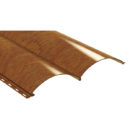
Металлический штакетник - интересное и практичное ограждение

+7 (495) 780-23-95
krovsite@yandex.ru
If you’re new to Biggerz, the first step is to register for an account. This will give you access to a wide range of games, promotions, and bonuses. In this article, we’ll guide you through the registration process and provide you with some valuable tips to get you started.
Begin by visiting the Biggerz website at [www.biggerz.com](http://www.biggerz.com). Click on the «Join Now» button to start the registration process.
On the registration form, you’ll be asked to provide some basic information, including your name, email address, and password. Make sure to choose a strong and unique password to keep your account secure.
You’ll also be asked to provide some additional information, such as your date of birth and address. This is to comply with anti-money laundering regulations and to ensure that you’re eligible to play at Biggerz.
Once you’ve completed the registration form, you’ll need to verify your account. This is a security measure to ensure that you’re the real deal and not a bot trying to sign up for an account.
To verify your account, you’ll need to click on the verification link that’s sent to your email address. This will activate your account and allow you to start playing.
Now that your account is verified, it’s time to make a deposit and start playing. Biggerz offers a range of payment options, including credit cards, debit cards, and e-wallets like Neteller and Skrill.
Once you’ve made a deposit, you can start playing your favorite games. Biggerz has a wide range of games to choose from, including slots, table games, and live dealer games.
If you’re new to Biggerz, you may be eligible for a welcome bonus. This is a great way to get started with the site and to try out some of the games.
To claim your welcome bonus, simply enter the promo code «BIGGERS» when you make your first deposit. This will give you a 100% match bonus up to €200.
That’s it! With these simple steps, you can sign up for a Biggerz account and start playing. Remember to always gamble responsibly and to never bet more than you can afford to lose.
Good luck, and happy gaming!
To get started with Biggerz, you’ll need to register for an account. This process is quick and easy, and we’re here to guide you through it step by step.
Step biggerz log in 1: Download and Install the Biggerz App
First, you’ll need to download and install the Biggerz app on your mobile device. You can find the app in the App Store (for iOS devices) or Google Play Store (for Android devices). Once you’ve installed the app, open it and tap on the «Sign Up» button.
Step 2: Fill Out the Registration Form
On the registration form, you’ll be asked to provide some basic information, including your name, email address, and password. Make sure to choose a strong and unique password, and consider using a password manager to keep track of it.
Step 3: Verify Your Email Address
After filling out the registration form, you’ll receive an email from Biggerz to verify your email address. This is an important step, as it helps to prevent spam accounts and ensures that your account is secure. Simply click on the verification link in the email to complete this step.
Step 4: Complete Your Profile
Once you’ve verified your email address, you’ll be taken to your profile page. Here, you can add more information about yourself, including your interests and hobbies. This will help you connect with other users who share similar interests.
Step 5: Get Your Biggerz Promo Code
As a new user, you’ll be eligible for a Biggerz promo code, which can be used to get discounts on your first purchase or to redeem a free trial. Keep an eye out for the promo code in your email inbox or on the Biggerz website.
Now that you’ve completed the registration process, you can start exploring the Biggerz app and all it has to offer. You can browse through the various categories, search for specific topics, and connect with other users who share your interests. Remember to always follow the community guidelines and respect other users’ opinions and perspectives.
Important Note:
Remember to keep your password and other personal information secure. If you have any issues or concerns during the registration process, feel free to reach out to the Biggerz support team for assistance.
That’s it! You’re now ready to start using Biggerz and connecting with other users who share your interests.
У вас еще нет аккаунта?
Создать аккаунт